Studio facilities

A studio built to work fast.

An HD television studio with six remote-controlled cameras and an adjoining gallery, designed to deliver recordings and live broadcasts of television programmes, webcasts and webinars cost-efficiently within a standard set. Plus a podcast studio, a green room and make-up.

Dimensions

How big is it, actually?

The four rooms side by side to scale, so you can judge whether your set-up fits before you call.

9,75 m 7,30 m
Studio A71 m² · 2,75 m high
9,75 m 5,25 m
Regie A51 m² · 2,75 m high
6,35 m 6,30 m
Studio B40 m² · 2,75 m high
4,90 m 6,40 m
Greenroom31 m² · 2,75 m high

Drawn to scale from the dimensions FRAME MEDIA states itself. The four areas are comparable with one another; this is not a floor plan of the building.

HD television studio

Studio A

An HD television studio with six remote-controlled cameras, used to broadcast live webinars at broadcast quality and to make programmes for national and international channels.
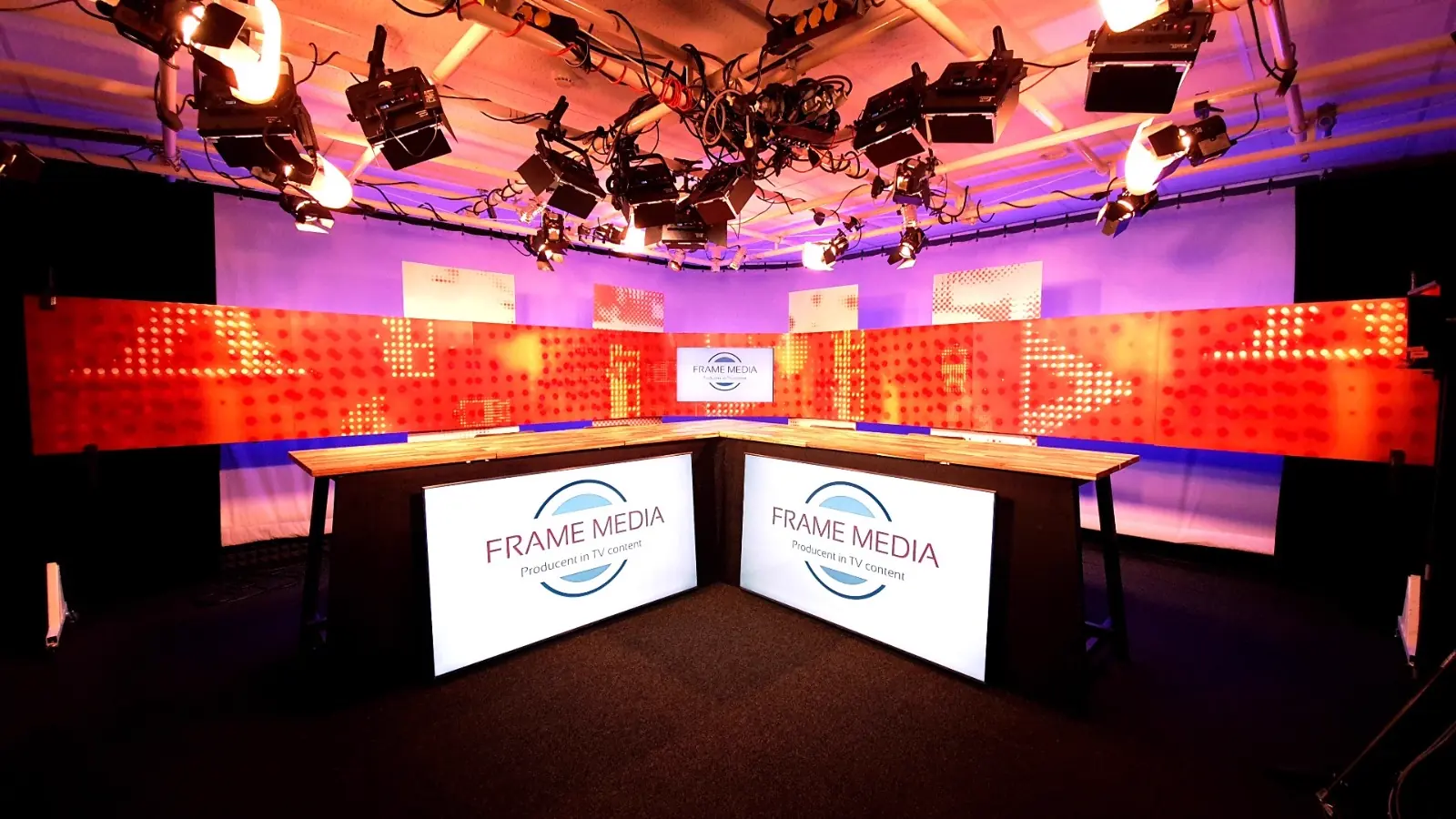
Studio A from the gallery side: the lighting grid, the cyclorama and the L-shaped presentation desk
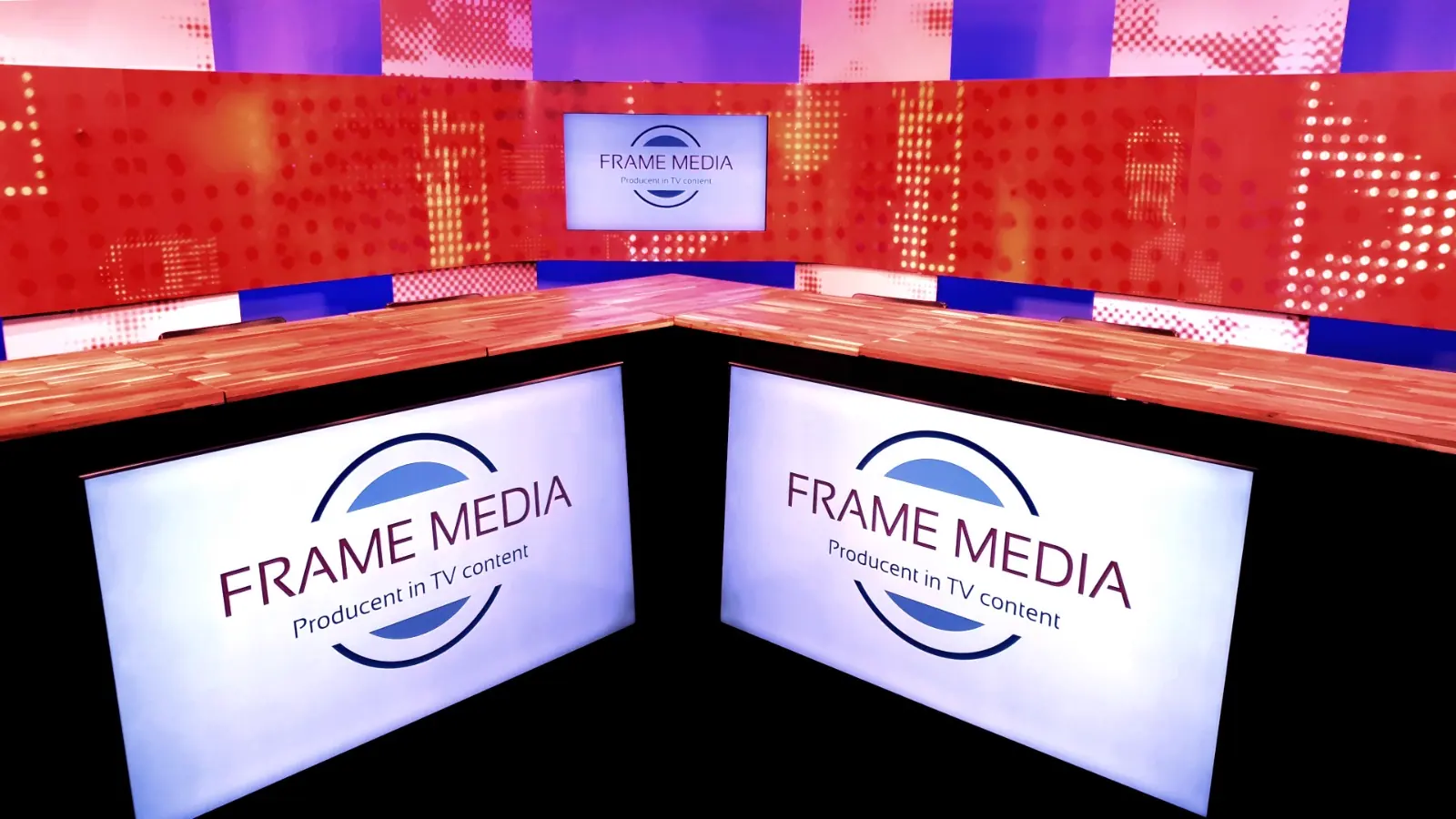
Close-up of the presentation desk in Studio A, with the set and its lighting effect behind it
Floor area
9.75 × 7.30 m
Height
2.75 m
Cameras
Six HD robotic cameras
Speakers
Up to four at the desk

Included

  • Six HD robotic cameras
  • L-shaped presentation desk for up to four speakers
  • PowerPoint slides, clicker operated by the speaker
  • Two teleprompters for the autocue system
  • Three set monitors
  • Red, green or blue light on the cyclorama
  • Lighting grid set for four speakers and set
  • L-shaped set with lighting effect
  • In-ear system (talkback earpiece)
  • Monitors to follow the programme output
  • Audio monitoring for programme and intercom
  • Wi-Fi and air conditioning

Set

The standard set is an L-shaped horizontal banner roughly 9 metres wide and 80 cm high, with graphic effects in a red-orange tint, a built-in screen and lighting effects. Eight panels of 80 × 40 cm hang above and below it. With magnetic foil the look and feel can be matched to your own house style: an attractive and cost-efficient way to put your branding in the studio.

Lighting

The lighting grid consists of individual lamps and groups of lamps, operated from a 12-circuit lighting desk in Gallery A. Changes are therefore visible on the monitors immediately and easy to judge.

Cameras

We work with robotic cameras on fixed pedestals. Several cameras are operated remotely by one Remote Camera Operator, which keeps the crew, and therefore the cost, low.

Sound

Headsets, lapel microphones or desk microphones, wired or wireless. Set loudspeakers for video inserts and idents, and for direction during rehearsal.

Autocue

One camera carries a teleprompter with the script, so the speaker can keep looking straight down the lens. Intended for speakers with experience of it.

Acoustics and climate

The room is set up for speech. There is ventilation and air conditioning, which is switched off during a recording or live broadcast because of the noise.
Control gallery

Gallery A

Gallery A is linked to Studio A. The combination is designed to deliver recordings and live broadcasts of television programmes, webcasts and webinars cost-efficiently within a standard set.

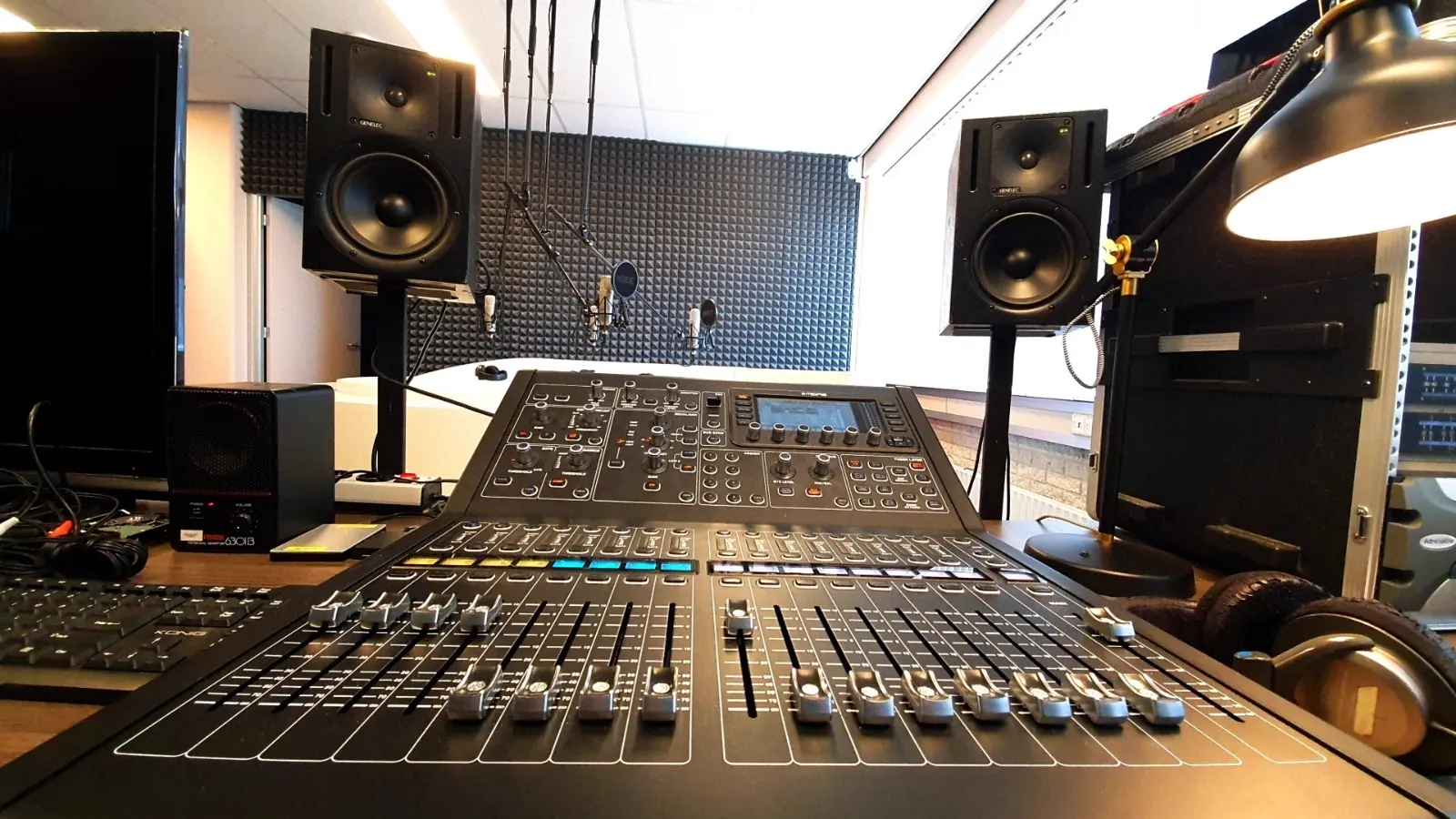
Gallery A: vision mixer, audio mixer and reference monitors, linked to Studio A
Floor area
9.75 × 5.25 m
Height
2.75 m
Layout
Three desks
Recording
Two SSD recorders

Included

  • Vision mixer
  • Remote control of six HD robotic cameras
  • Audio mixer with broadcast processing
  • Four microphone receivers
  • Transmitter for the in-ear system
  • Editing system (Avid Media Composer)
  • Autocue system (Portaprompt)
  • Playout of full-screen video inserts and stills
  • Name and role captions
  • PowerPoint slide playout
  • Stills on the set monitors
  • Lighting desk, 12 circuits
  • Two SSD recorders for the recording
  • Wi-Fi and air conditioning

Layout

Three rows. Front row: director, Remote Camera Operator and sound engineer. Second row: webcast engineer and executive editor. Back row: other crew.

Vision mixer

A switching panel with preview monitors to view and judge the video sources, plus a separate monitor showing the cut programme. The video signal is measured with a vectorscope, so that it meets professional standards.

Audio

A professional audio mixer handles microphones, video inserts and idents. Levels are measured precisely: broadcast requirements are strict. Reference monitors and broadcast processing keep speech intelligible.

Extra crew

A simple opening and closing script is usually something the sound engineer can take on as well. If more is read off the autocue, a separate autocue operator is needed. If microphones have to be swapped during a broadcast, an assistant sound engineer.

Podcast studio

Studio B

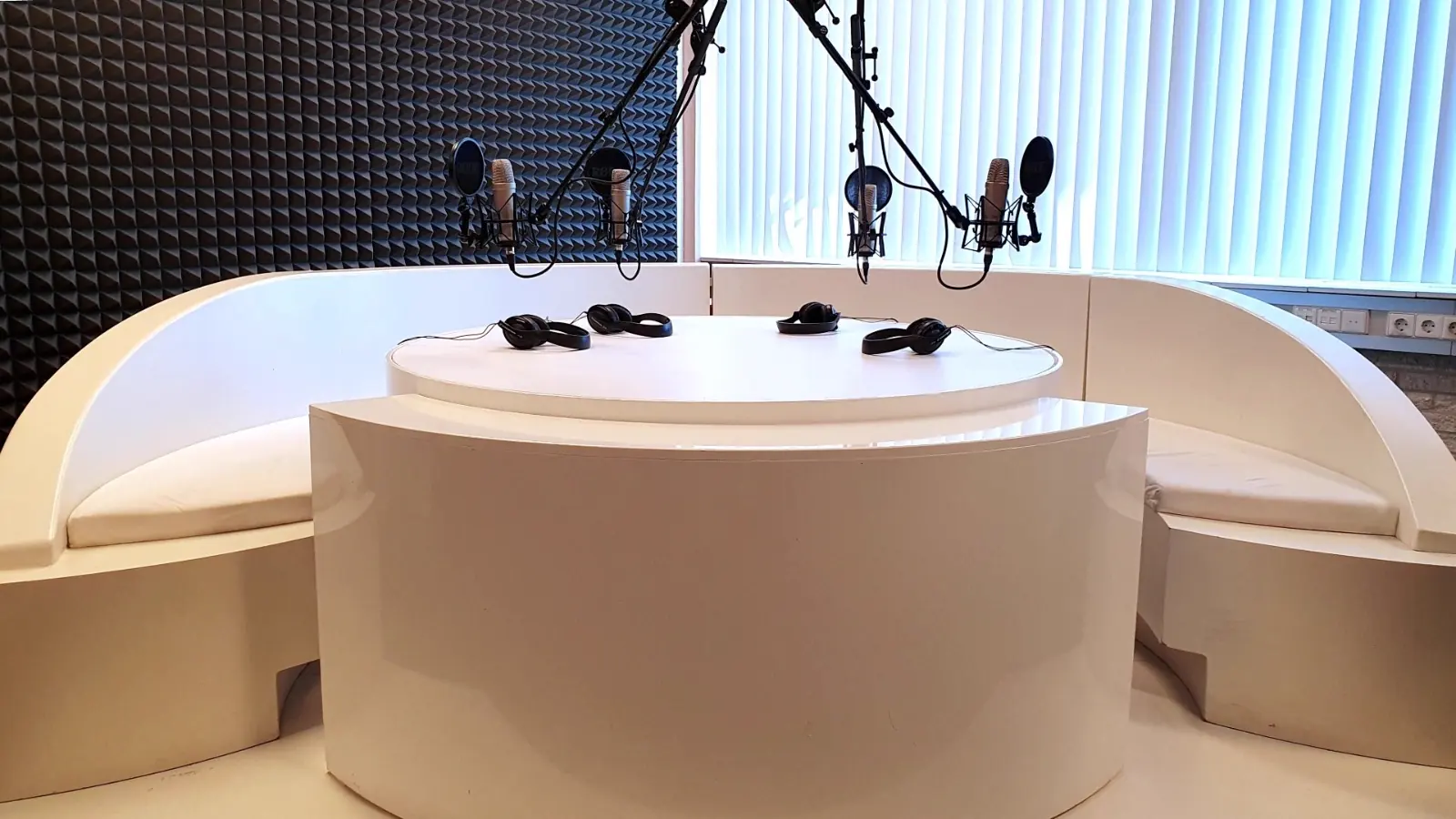
Studio B is a podcast studio where sound is recorded at professional quality. The round table seats four speakers as standard. More speakers are possible by arrangement.

Studio B: the round podcast table with four microphones and headphones
Floor area
6.35 × 6.30 m
Height
2.75 m
Speakers
Four at the round table
Archive
At least a year, free

Included

  • Recording at professional sound quality
  • Round table for four speakers
  • Tunes, jingles and music fired live
  • Conversations with remote speakers
  • Editing of separate segments
  • Sound processing and finishing
  • Delivery as WAV and MP3
  • Sent via WeTransfer
  • Archived for at least a year
  • Air conditioning, off while recording

Recorded in one go

Tunes, jingles and music can be fired live, which means a complete programme can be captured in a single pass. That makes the production highly cost-efficient. We advise stopping as little as possible during the recording; it does the flow of the conversation good.

In parts after all

If it really has to be, parts can be recorded separately or segments done again. Recording and editing time do go up.

Finishing and delivery

Sound processing follows the edit. The WAV file is then ready; because of the file size we usually also encode it to MP3. Delivery is via WeTransfer, among other routes.

Archiving

We keep your podcast in our archive for at least a year, free of charge. If something happens to your own file, you have something to fall back on.

Production room

Green room

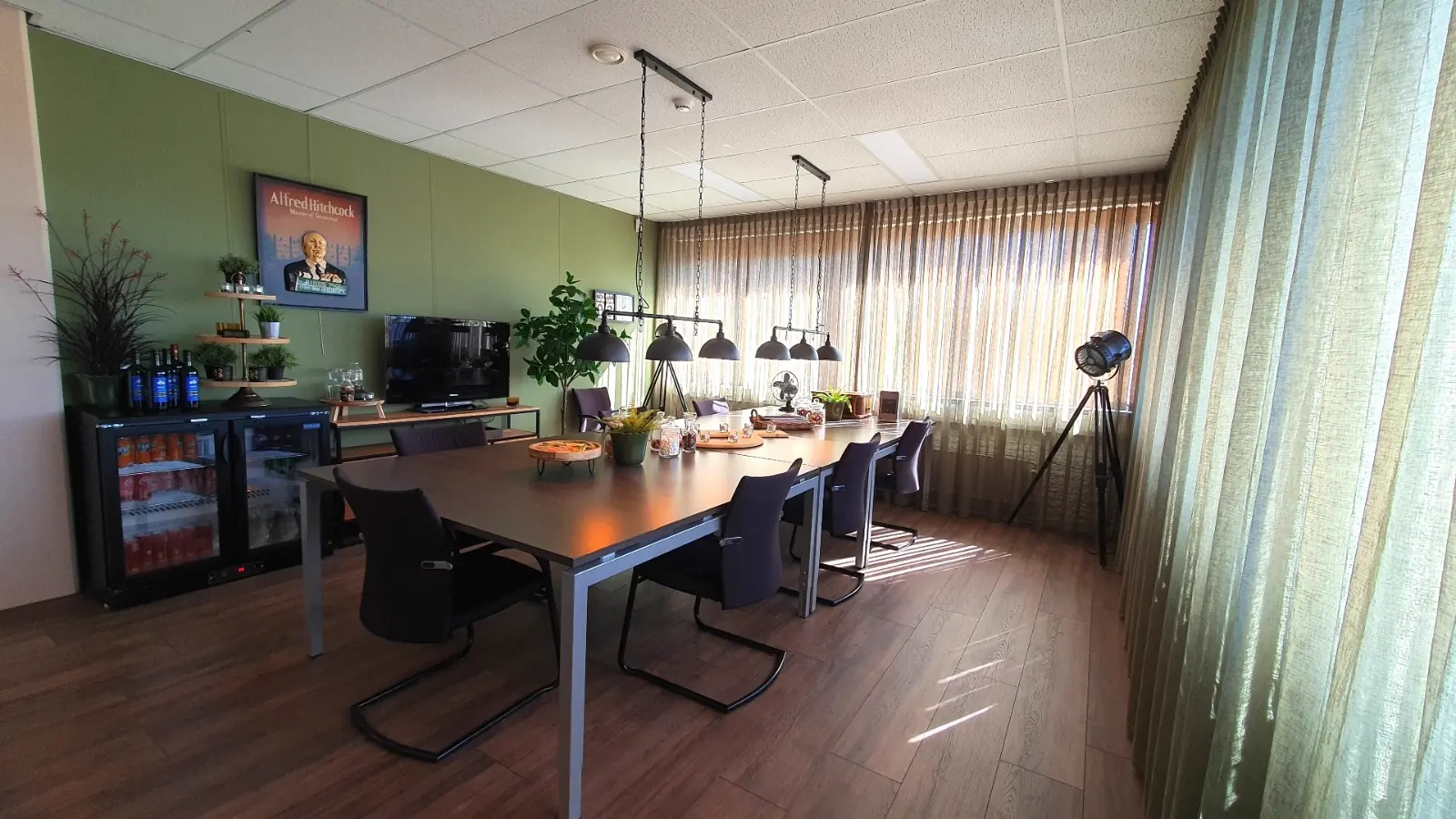
The production room where speakers and guests wait, prepare and eat. Available separately, but included when you hire a studio.

The green room with its large table, the monitor screen and the pantry
Floor area
4.90 × 6.40 m
Height
2.75 m
Seats
About eight at the table
With studio hire
Included

Included

  • Large table for about eight people
  • Monitor screen showing Studio A
  • Laptop connection for PowerPoint
  • Coffee, tea and soft drinks
  • Pantry with fridge, freezer and microwave
  • Separate drinks fridge
  • Room to eat a meal
  • Ventilation and air conditioning

Self-service or a host

Catering is self-service as standard. As an option we provide a host to receive and look after speakers and guests.

Watching along

The monitor screen shows what is happening in Studio A. Useful for speakers who are on later, and for clients who want to watch without standing in the studio.

Make-up

Make-up room

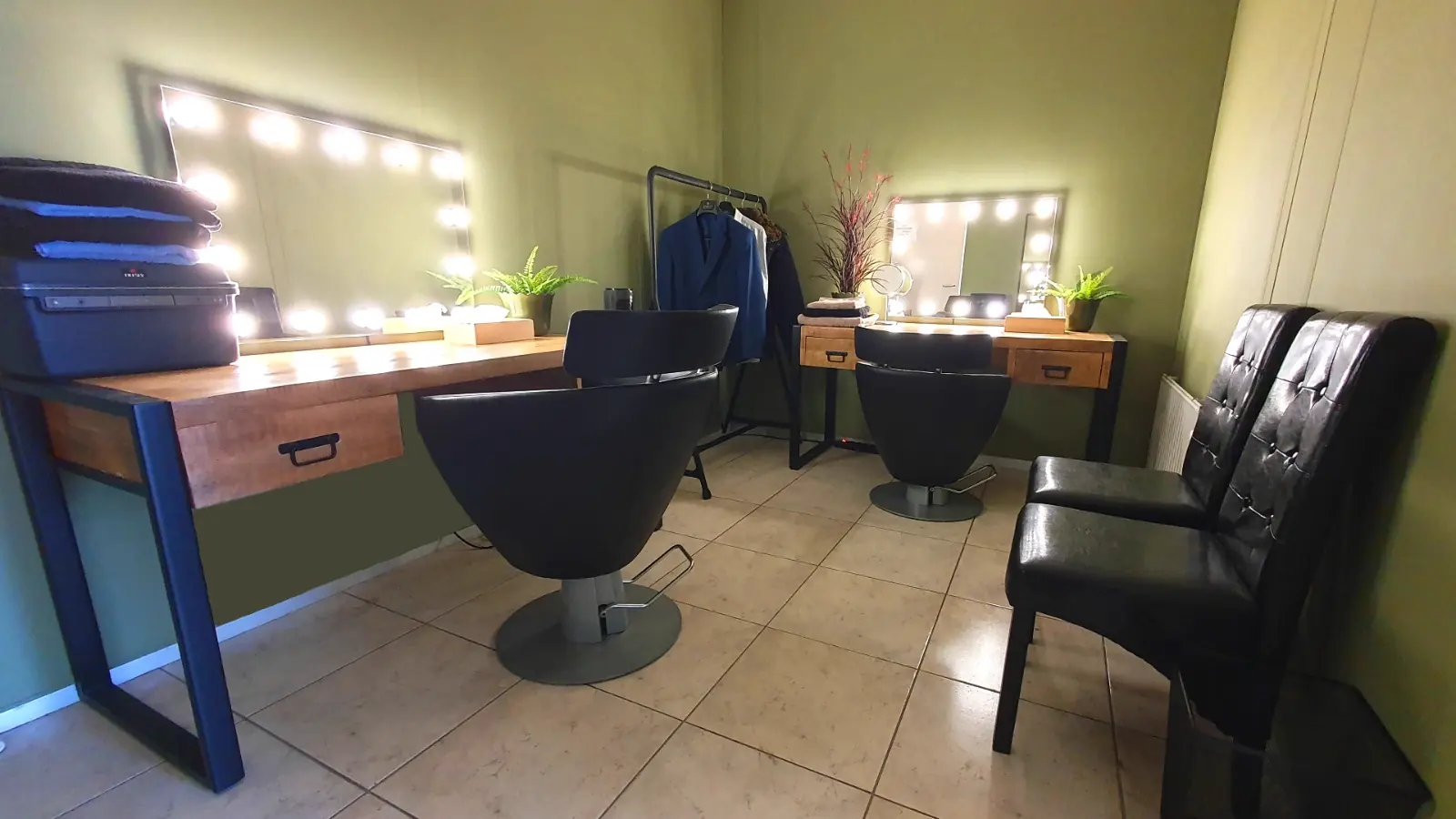
A make-up room with good mirrors, where two speakers can be made up at the same time. Hired separately when it is used as a make-up artist’s work space.

The make-up room with two work stations and mirrors with task lighting
Places
Two at a time
Per speaker
About 15 to 45 min
Hire
Separate, with a make-up artist
Advice
Bring spare clothing

Included

  • Good mirrors and task lighting
  • Two work stations
  • Television make-up
  • Space to change clothes

Allow time for it

Build a realistic schedule to get television make-up onto everyone who appears on camera. Allow roughly 45 minutes for a woman and 15 minutes for a man.

Clothing

Wear clothing suitable for a television appearance and bring spare clothing. We send the note “Tips for appearing on television” in advance.

In the gallery

Where the signal goes

Vision and sound each take their own path through Gallery A. The picture is measured with a vectorscope and the audio level read out precisely — broadcast sets strict requirements for both.

VISION 6× Robotic camera Vision mixer Vectorscope 2× SSD recorder SOUND 4× Microphone Audio mixer Broadcast processing
Vectorscope
Waveform & audio

Preparation

Tips for being on television

Anyone standing in a studio for the first time usually underestimates three things. We send the note “Tips for appearing on television” in advance, but these are the main points.

Allow for make-up

Television make-up is not vanity but technique: studio light is merciless. Allow roughly 45 minutes for a woman and 15 minutes for a man, and build a schedule that works for everyone who appears on camera.

Think about your clothing

Not all clothing works on camera. Clothes with stripes or checks do not reproduce well: a fine pattern like that flickers on screen. Bring spare clothing, so there is something to choose from if one outfit does not work against the set or looks restless on camera.

Stop as little as possible

A conversation that runs through in one go sounds better than one that has been stitched together. Recording in separate parts is possible, but recording and editing time go up, and that is your money too.

Half-days

Hire the studio?

The studio is available by the half-day, with or without crew. Green room included. Get in touch for current half-day rates and availability.